Benchling plate maps
Annotating layouts on a well plate
Benchling is the leading cloud platform for biotech R&D, helping scientists plan and record experiments. Almost every Benchling customer uses plates in the lab, but we struggled to support plate-based workflows, resulting in critical gaps in data capture.
In 2024, we launched an interactive plate map tool that allows scientists to visually design experiments by selecting and annotating wells with metadata. As lead designer, I guided the project’s direction while collaborating with a supporting designer. Tactically, my primary design contributions include defining the core interaction design for selecting and annotating wells, developing the color systems and legends, and architecting a UX framework to ensure the product continues to grow after the initial launch.
Role
Lead Product Designer
Team
1 product manager
4 engineers
1 designer
TIMELINE
2024

The problem
Plates at the bench that didn't make it into Benchling.
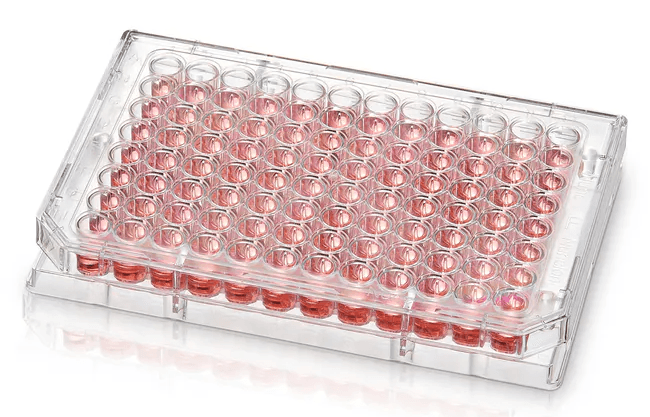
This is a well plate - a tray with wells that each can hold tiny samples of cells, compounds, or reagents. Scientists use plates to run dozens or hundreds of experiments simultaneously in a compact, organized format, making them essential for high-throughput research in drug discovery, diagnostics, and molecular biology.
Plates are fundamental tools in biotech labs, but we didn't support plate-based workflows very well. We knew this was a problem because plate usage in Benchling was surprisingly low. Given what we knew about our customers' workflows, there should have been far more plates being recorded in the system. The gap between real-world plate usage and what we saw in Benchling pointed to a fundamental issue with how we supported this workflow.
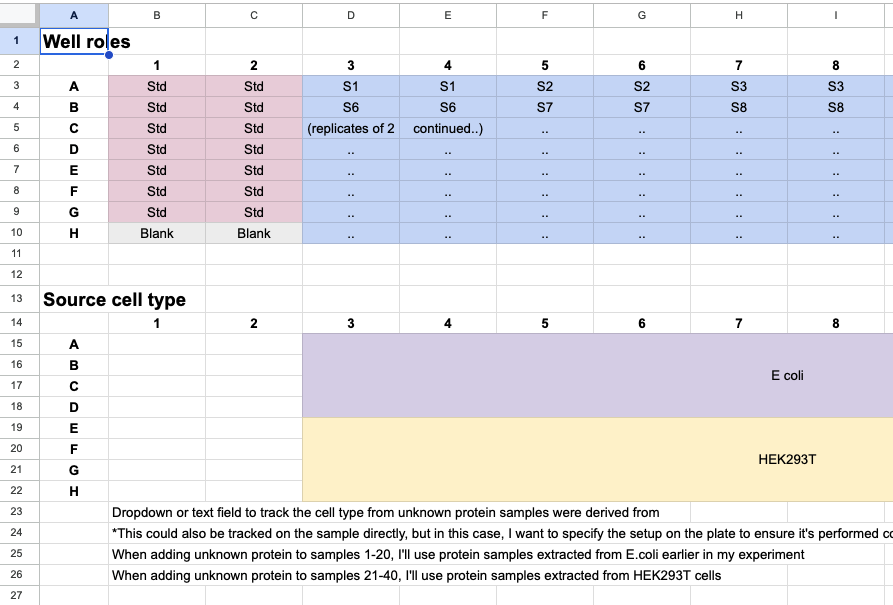
A customer example of a plate map drafted in Google sheets, depicting important metadata to be captured on wells as layers of information.
The problem: Benchling lacked plate maps, or a visual way to view and annotate wells on plates. As a result, most customers were using workarounds such as pasting in a picture of their plate layout into notebook entries, leading to a critical gap in data capture and breaking Benchling’s core value proposition of tracking the end-to-end experimental process.
“One of the biggest challenges to registering samples in a plate is that scientists often design experimental plate layouts in an unstructured well plate table, but then need those values transferred to a tabular registration table... It has created a significant bottleneck to our high-throughput teams where sample registration becomes a nuisance to their workflow.”
— Benchling user, via community forum
“The only way to view the contents of a plate in Benchling is in a tabular format... This is useful for displaying many pieces of metadata for each well at once. However, this is not a format that is easy to visually parse for scientists who are often more used to plate maps where they can view plate contents in a matrix format that matches the layout of the plate itself. This leads to duplicate entry of information where the scientist will use inventory to record their plate layout in a structured format, and then create a separate, unstructured table to use as a plate map.”
— Benchling user, via community forum
Our approach
A visual tool that matches how scientists work
We set out to build a way for scientists to visually annotate plates—mapping sample types, concentrations, and other information directly onto a grid view that matches how they think and work. This would support both experiment design at the bench and structured data capture for analysis.
Our MVP focused on three key principles:
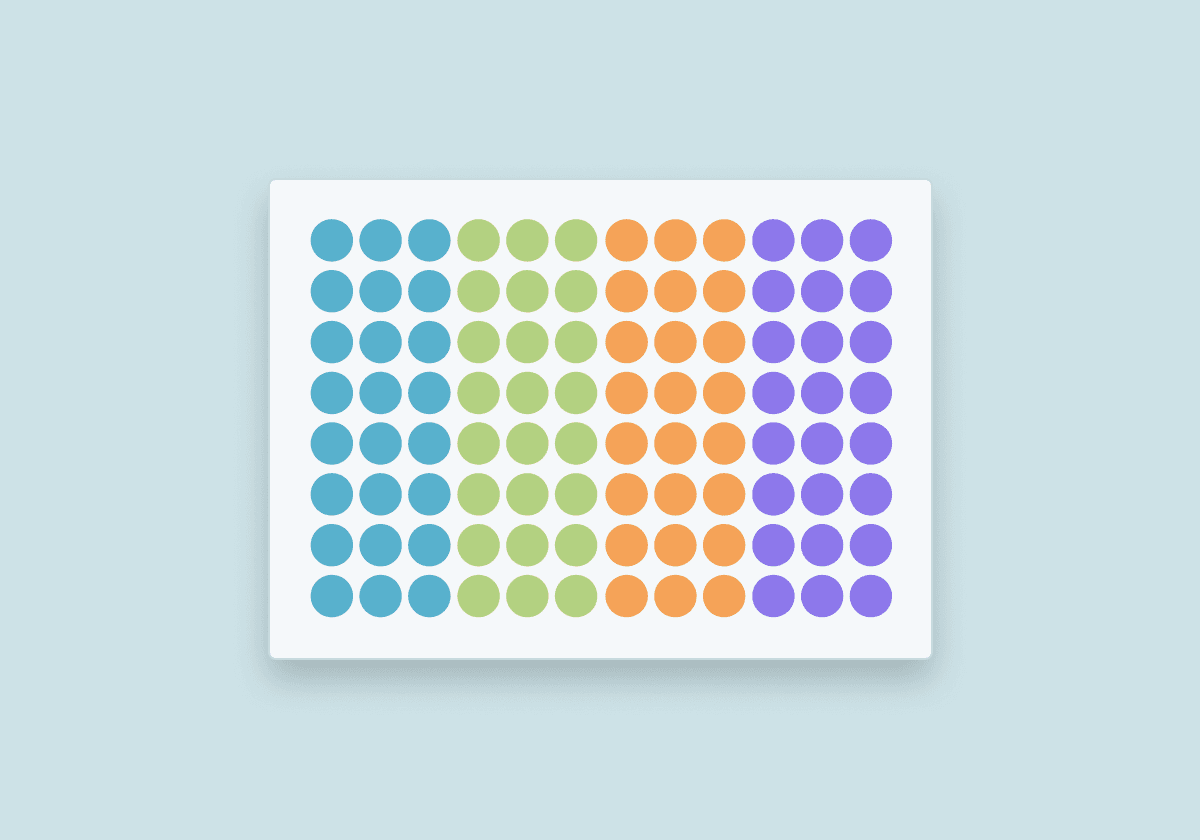
Visually intuitive
The tool mirrors scientists' mental model of plates during experiment planning - a grid view rather than a tabular view, which is better suited for analysis.
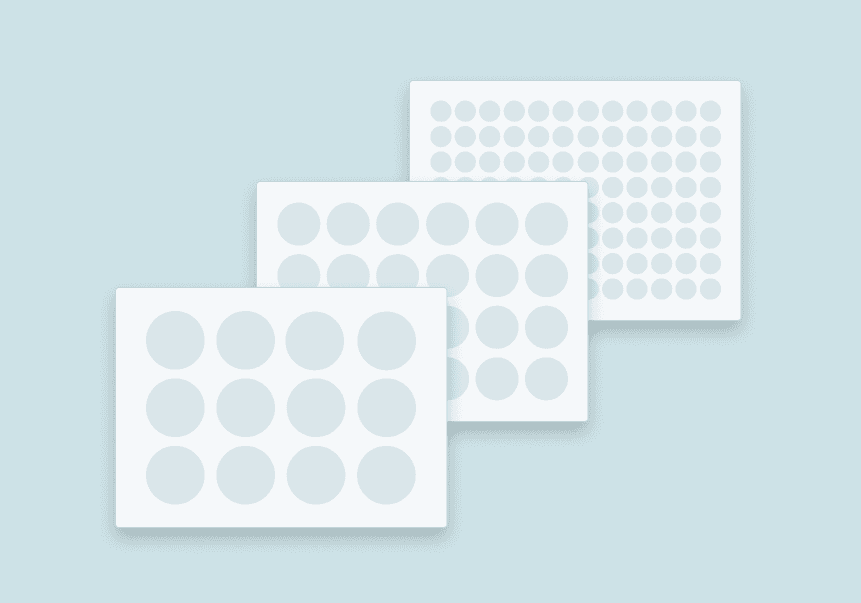
Scalable
Plates come in varying dimensions, from 6-well plates to 384-well plates. We optimized for 96-well plates, the most commonly used size based on usage data, while supporting the full range.
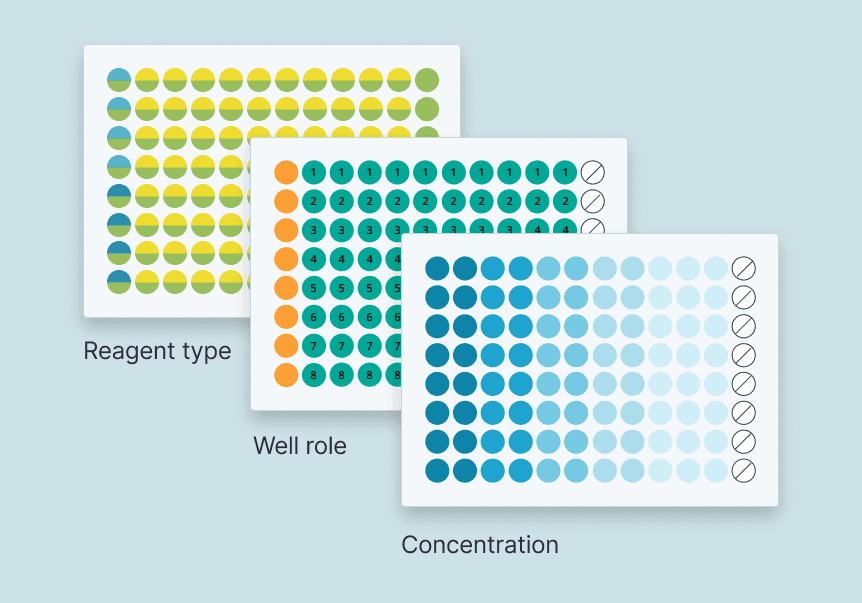
Layers
Plate maps are separate layers of metadata (well role, contents, concentration, etc.) that are manipulated independently, but sum together to provide the definition of a well.
Challenge 01
Quick and easy well selection.
Building a visual annotation tool meant solving some tricky interaction design problems. One of the most important was figuring out how scientists should select wells so that they can quickly assign them to various labels.
To design the right interactions, I needed to understand: are there standard plate layout patterns we could provide as defaults? Or is sample placement more varied?
We examined customer plate maps and talked with our CX team. We discovered that while there aren't universal "standard" layouts, scientists aren't placing samples randomly either. Their layouts follow clear, logical patterns. I identified three interaction modes to support these patterns:
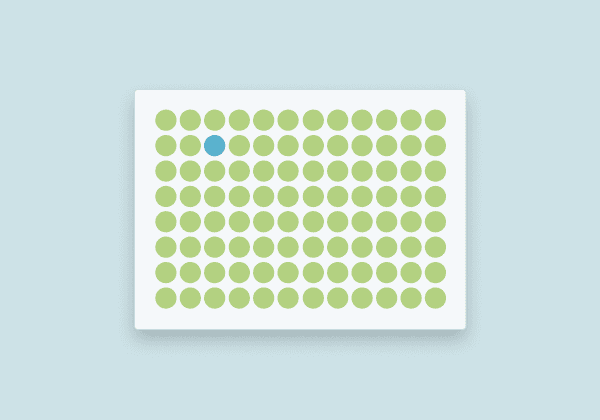
Individual wells
Precise, custom control allows scientists to label individual wells right where they want to - for example, to specify the placement of blanks
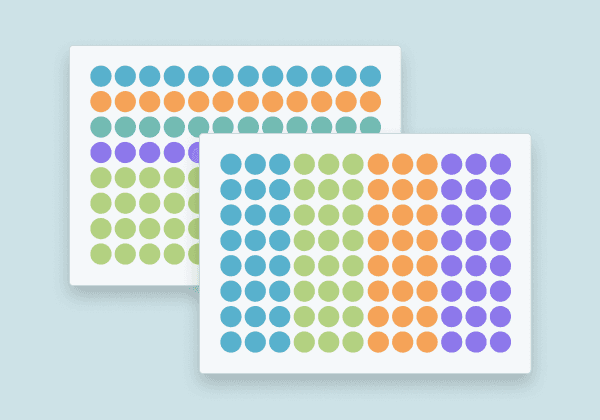
Rows or columns
A row by row or column by column layout is very common because when scientists manually pipette samples, it's easiest to go straight down a column or across a row
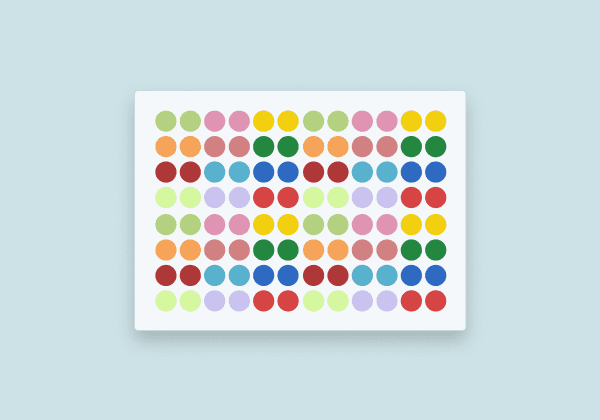
REctangular regions
Samples or replicates were often grouped via repeating pattern within a large block of wells
To support these patterns, I designed three complementary selection methods:

Direct click
Click individual wells to select or deselect them

Row or column headers
Click column or row headers to select entire columns or rows at once

Click and drag
Drag across wells to quickly select rectangular regions
Challenge 02
Assigning labels to selected wells.
After selecting wells, users need to label them with metadata. The labeling method depends on the schema type—text, numeric, dropdown, and so on—so I designed interactions that let users either write in new labels or choose from existing ones.
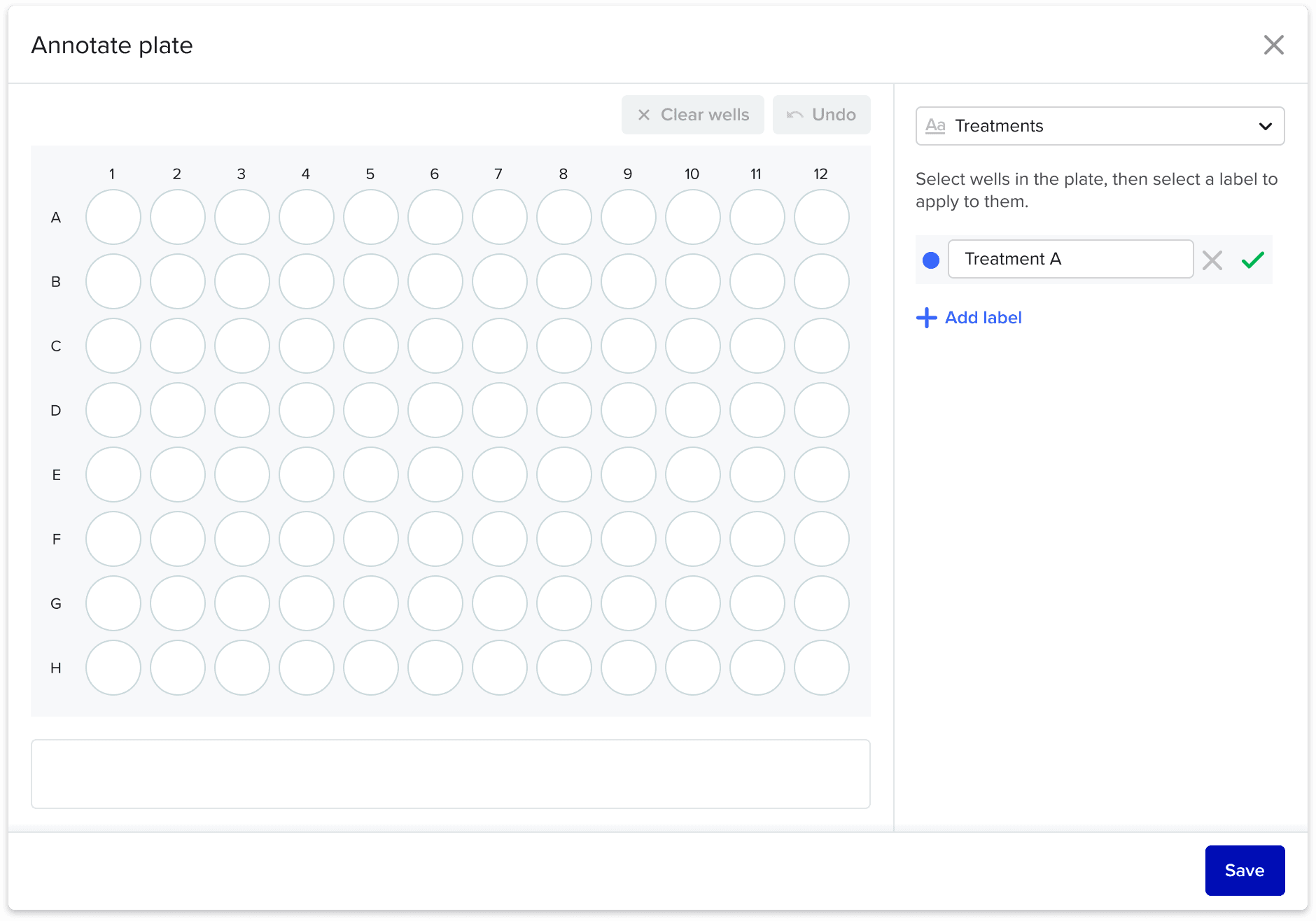
Text fields
Users can write in their own labels for text layers.
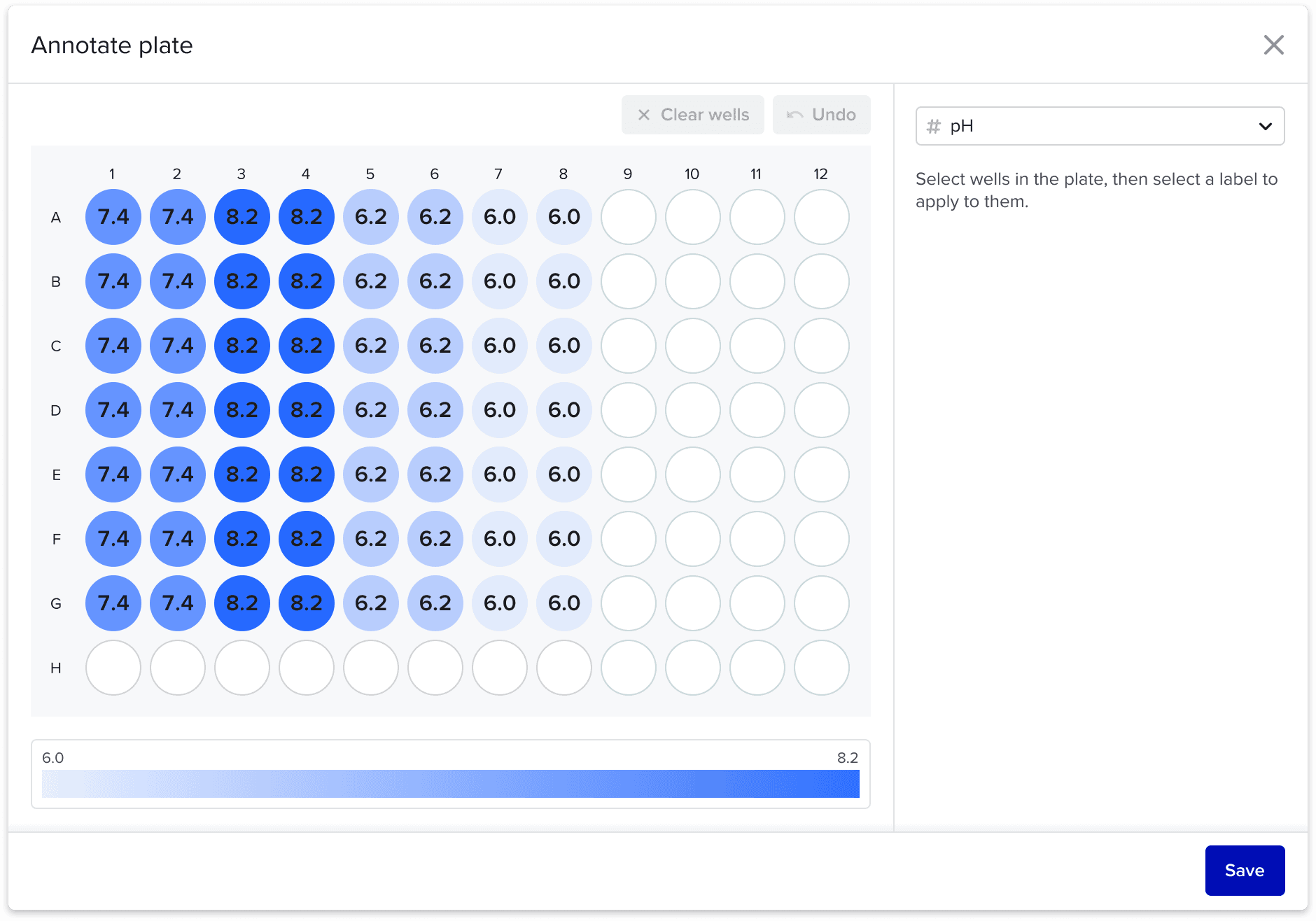
Numeric fields
For integer or decimal fields, we visualize the values of wells on a color gradient so scientists can quickly visualize trends in the layout. This is handy for things like double-checking the concentration gradient for an experiment.
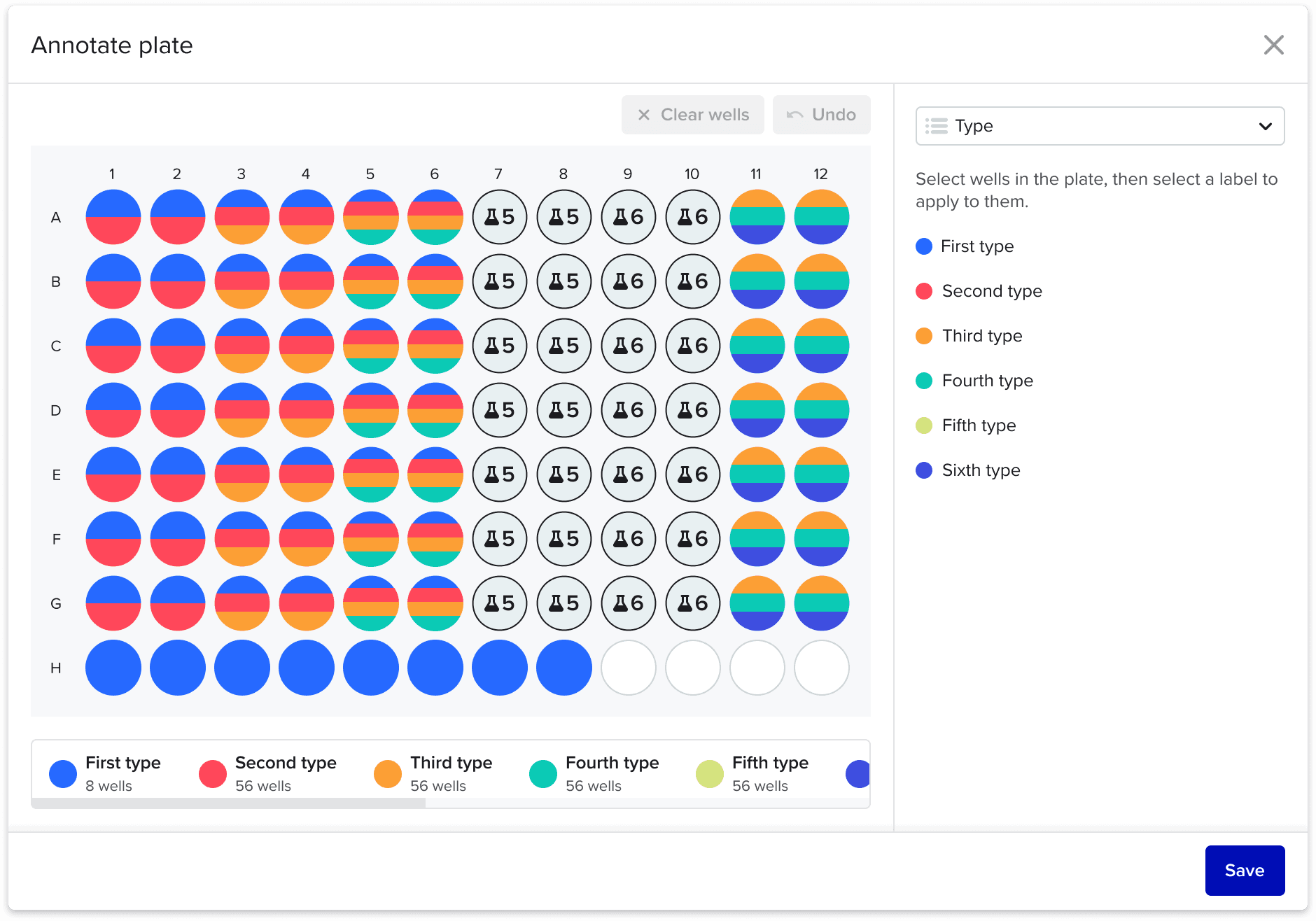
Dropdown fields
For dropdown fields, users choose from the prepopulated options.
Challenge 03
Assigning well roles and groups.
The next challenge was assigning selected wells to specific roles and groups. This was especially tricky because I wanted to make the experience simple and contextual—leveraging our knowledge of scientific workflows—while still supporting a wide variety of experiment layouts.
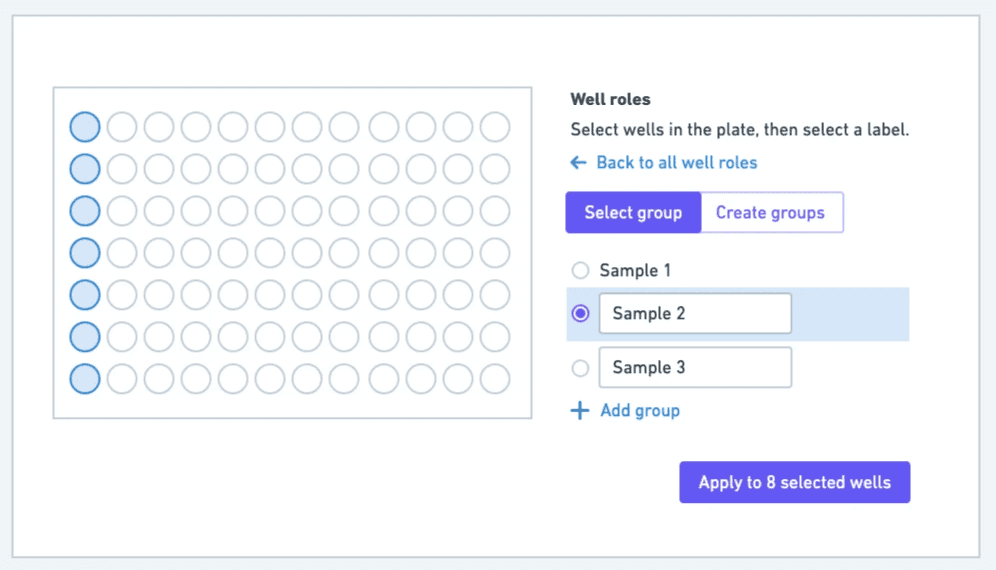
My initial idea was to let users write custom labels like "Positive control" or "Negative control." This provided flexibility, but it created a major pain point for high-throughput testing. If someone wanted to fill a 96-well plate with different samples, they'd have to manually type 96 labels (Sample 1, Sample 2, etc.)—incredibly tedious!
The solution: I worked with my PM to define a two-level system. Users first select a well role category (sample, control, standard, blank), then assign a numerical subgroup within it (1, 2, 3, etc.). This structure balances guided workflow with the flexibility to handle both simple and complex plate layouts.

This led to the "Fill by pattern" interaction, which makes annotating an entire plate quick and programmatic:
Select wells using any selection method (click, drag, or row/column headers)
Choose a well role category
Assign wells to a single group or create multiple groups automatically by pattern

Final designs
Annotate a complex layout in seconds.
Annotate complex plate layouts in seconds
Using a combination of well selection interactions and annotation methods, scientists can visually annotate wells with critical metadata.
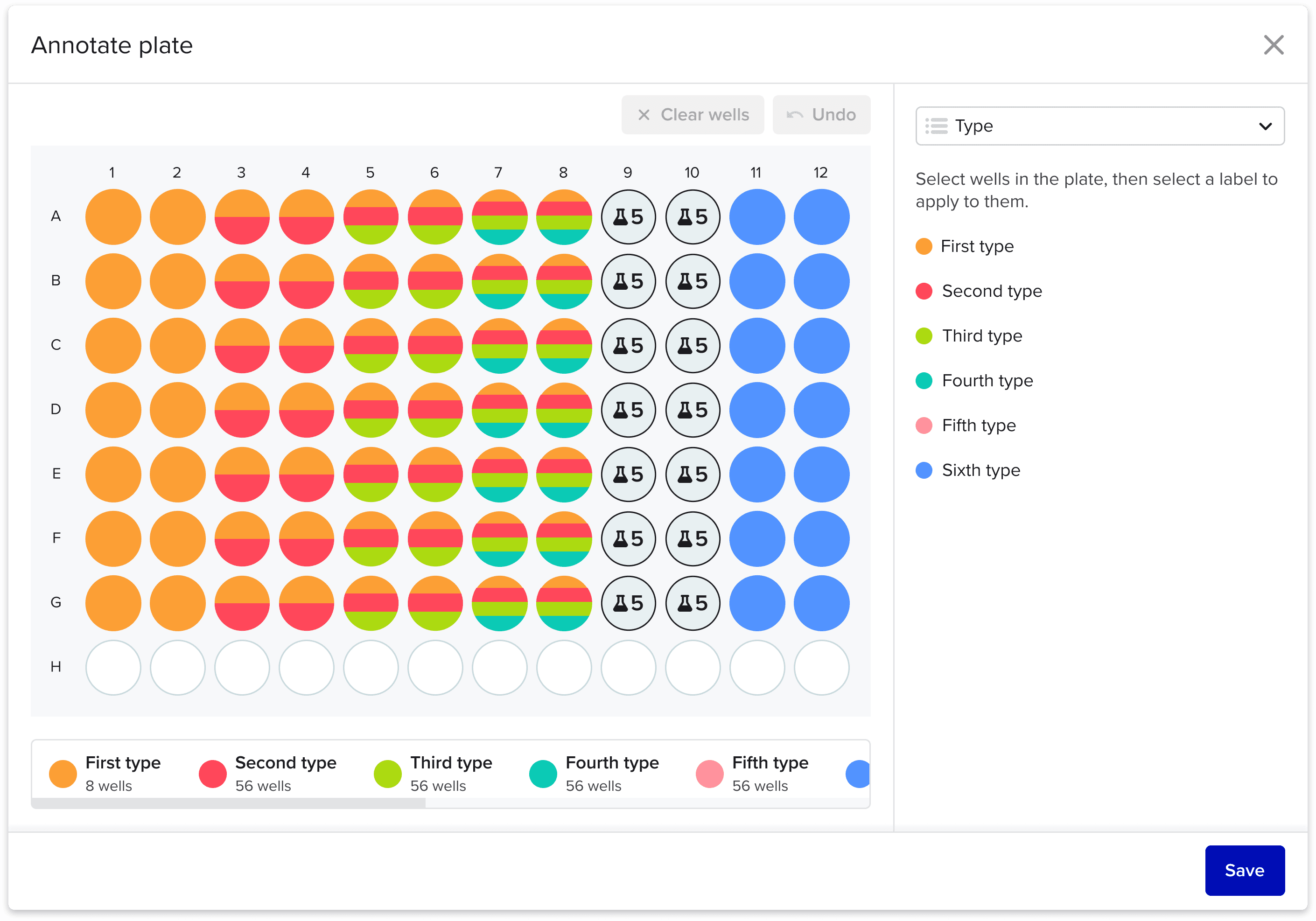
Multiple labels
In some cases, multiple labels may need to be placed on the same well - for example, to represent multiple reagents to be placed inside a single well.
We handle this by splitting wells by color, and a special treatment for over >4 labels.

Legend actions
Clicking on an legend item will hide it from the plate map. This is handy for keeping the focus on only things you want to visualize, so you can hide the rest (for example, a buffer placed in each well).
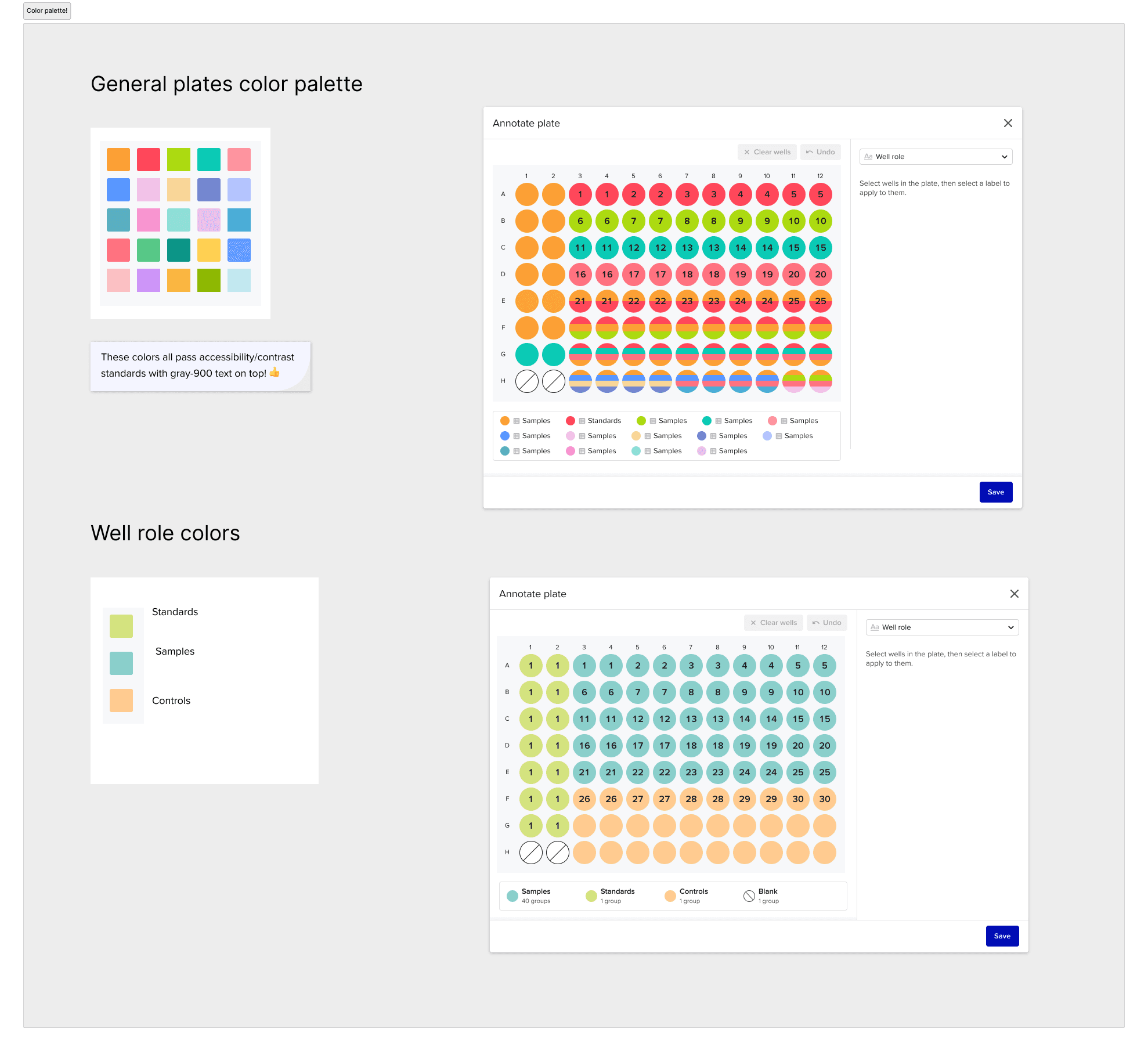
Color palette
I expanded our current color palette and defined a robust set of colors to use for plate maps with accessibility in mind.
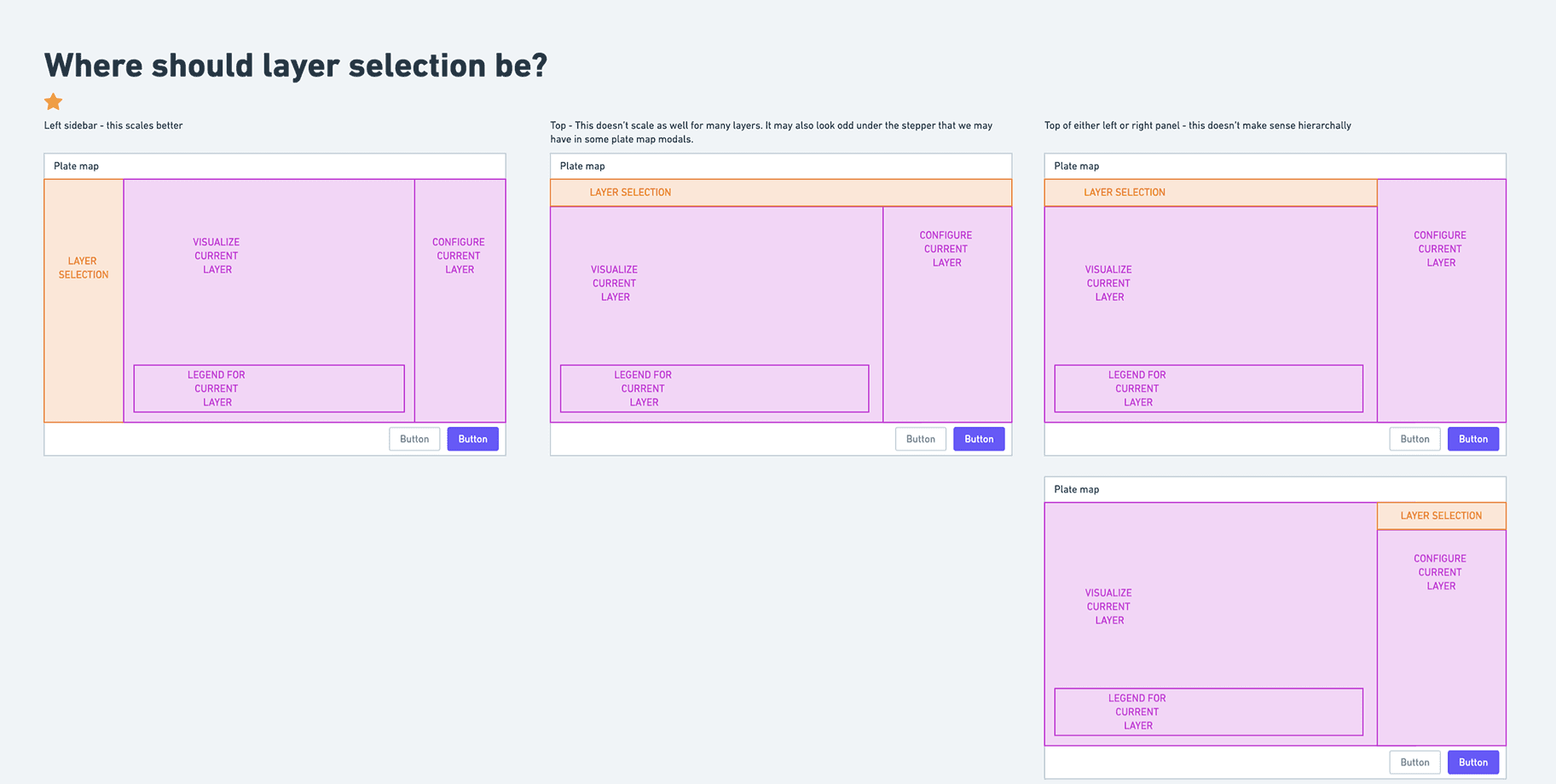
UX framework
After delivering the MVP, I developed a UX framework to make design decision-making faster as we build new features beyond our initial launch.
Launch and Impact
A 10-fold increase in plate usage
Plate maps launched in limited availability in June 2024, followed by a general launch in September 2024. (Note: I left Benchling in July 2024, and have intentionally omitted confidential success metrics here.)
After a brief beta period, we released MVP plate maps in 2024. Since then, we’ve made iterative improvements to the plate tool, such as a new plate layers selector UI. I also led an investigation into better accessibility for colors on the plate map.
The impact was immediate: plate usage in Benchling jumped 10x, unlocking more of Benchling's core value around tracking experimental processes and providing insights to accelerate R&D.
“We really need this, I don’t see it as a “nice to have” at all. I can quickly see that something is only in one row, without having to know what the colors mean necessarily.”
— Beta Feedback
“We presented plate maps to Roche/gRED onsite this morning and it generated confetti reactions, applause and comments such as: 'In my previous life I was designing these systems and I have to say as a first pass this is stunning. I am blown away'. "
— Head of Product, Benchling